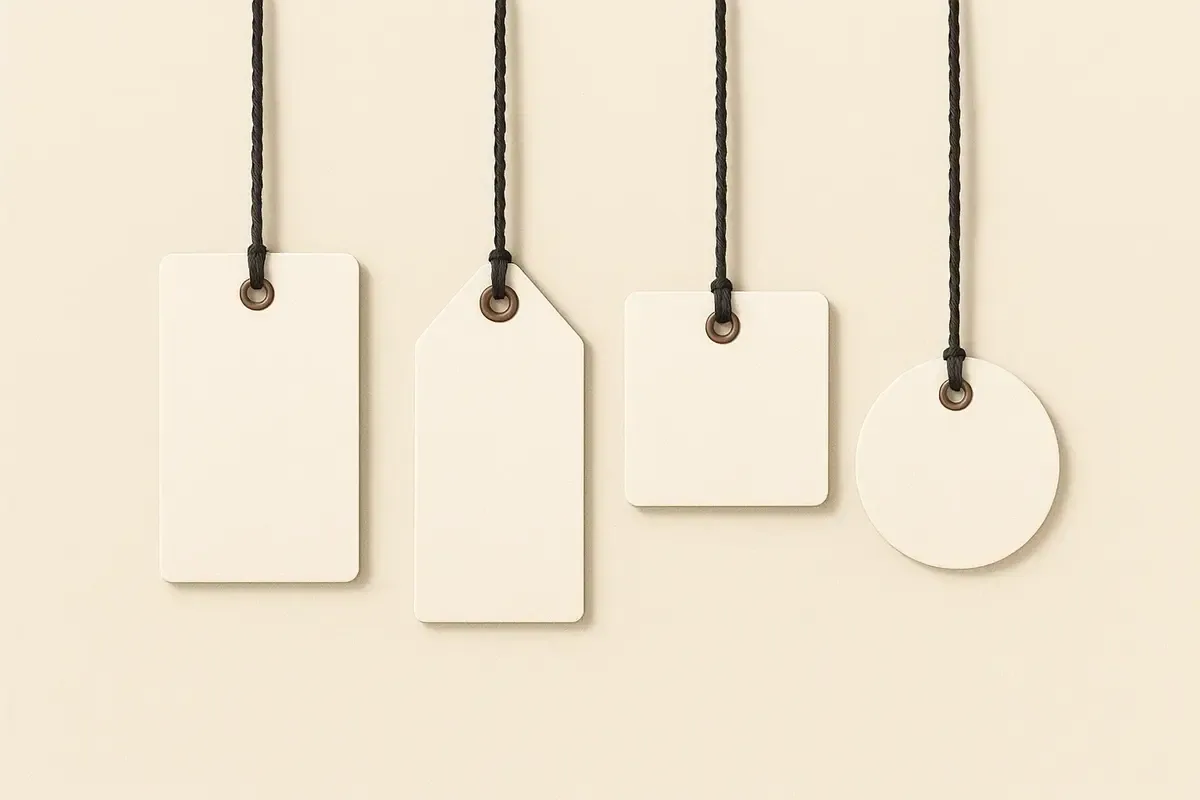
Explore Swing Tag Shapes
Classic & Rectilinear
Prioritise predictable print area, efficient layouts and space for product information, prices, care details or codes.
Curved & Organic Silhouettes
Use curved outlines for recognition and presentation while allowing for reduced space near rounded edges.
Geometric & Polygons
Build visual distinction with strong silhouettes, then test the safe area around corners, points and the attachment hole.
Bespoke Custom Die-Cut
Use a custom contour when the silhouette contributes to recognition or fits a particular product. Supply or approve a clean cutting path and keep small notches, acute points and hole margins practical.
Custom Die-Cut ToolingDownload DielinesChoosing a Shape
Rectangles generally provide the clearest relationship between finished size and usable area. Circles, hexagons and other geometric shapes create a stronger outline but require text and codes to move inward from the edges. Folded formats add panels but introduce fold direction and panel-sequence decisions. A custom contour adds tooling and artwork considerations, so it should answer a product or brand need rather than add complexity without purpose.
Before choosing, sketch the logo, longest text line, code, price and hole on the proposed outline. If these elements compete for space, increase the size, simplify the content or return to a less restrictive shape.
How much of each outline you can print on
The outline is cut from the same sheet whatever its shape, so the size you order is the box the shape fits in. What changes is how much of that box can safely carry type, a logo or a code once the cut edge and the hole are allowed for.
| Outline | Usable area inside the box | Where the space goes | Plan the layout as |
|---|---|---|---|
| Rectangle | Almost all of it | Only the trim margin and the hole | Stacked lines of information, prices, barcodes |
| Rounded corners | Nearly all of it | The four corners, which rarely held content anyway | The same layout as a rectangle, with a softer edge |
| Square | Almost all of it | Trim margin and hole | One dominant mark with an even margin |
| Circle | About half, as a centred square | The four curved segments outside the largest square that fits | A mark and two or three short centred lines |
| Oval | About half, as a centred rectangle | The curved ends | A wordmark along the long axis |
| Hexagon | About two thirds | The six corner triangles | A centred block with short lines |
| Heart | Under half | The point and the dip between the lobes | A short message in the upper centre |
| Star | A small centre only | Every point, which is too narrow for type | A single mark or one word in the middle |
| Your own outline | Depends on the drawing | Narrow spurs and notches | Find the largest calm area first, then place the hole |
If the content list will not fit the usable area of the shape you like, order the shape a size larger rather than shrinking type: larger tags in the same outline cost far less extra than an unreadable one.
What each outline costs
Shaped outlines are cut with a cutting form rather than a straight guillotine cut, which is why they sit above rectangles and squares. A drawing of your own adds a one-off die; a layered tag is two cut pieces joined together. Prices are for 250 85 × 55mm tags printed full colour on one side (£68.00 as standard), all-inclusive with free UK delivery; each row changes only what it names.
| Option | 250 tags | Difference |
|---|---|---|
| Rectangle | £68.00 | No change |
| Square (55 × 55mm) | £58.27 | −£9.73 |
| Rounded corners | £70.04 | +£2.04 |
| Circle (55 × 55mm) | £81.87 | +£13.87 |
| Oval | £95.54 | +£27.54 |
| Hexagon | £95.54 | +£27.54 |
| Heart | £95.54 | +£27.54 |
| Star | £95.54 | +£27.54 |
| Leaf | £95.54 | +£27.54 |
| Layered | £122.40 | +£54.40 |
| Your own outline (custom die) | £135.54 | +£67.54, including a £40.00 one-off setup |
Decision context
Treat shape as a functional part of the tag
Rectangle and square formats use print area efficiently, while circles, ovals, shields and bespoke silhouettes can create a more distinctive outline. The right choice depends on the information, attachment point and product scale. A recognisable shape is only useful when the tag remains readable and practical to handle.
Curves, corners, narrow projections and internal cut-outs affect the dieline and safe area. Important text and borders need clearance from the cut path, and a hole needs enough surrounding material to resist tearing. Fold, perforation or eyelet positions should be drawn into the same artwork template.
Test the silhouette on the real product and inside its packing method. A tag can appear balanced on screen but rotate, cover packaging information, catch on fabric or become damaged in transit. Small changes to dimensions or hole position often improve use without changing the core visual idea.
Use the shape guide to select a family, then confirm finished dimensions, corner treatment, cutting method and artwork tolerances. Custom tooling should follow an approved vector path; standard shapes can reduce setup, but they still need a specification for material, print, finish and attachment.
Ready to configure your tag?
Jump straight into our configurator and start building your specification.
Configure Tags